Choosing the Right TV for Gaming
Selecting the right television for gaming is a critical decision that can significantly affect your overall gaming experience. Several key factors must be considered to ensure optimal performance. First and foremost is the resolution of the TV. The current standard for immersive gaming is 4K, providing a stunningly detailed picture that enhances gameplay. A 4K TV allows for clearer graphics and more vibrant colors, making it an excellent choice for both console and PC gamers.
Another essential aspect is the refresh rate of the television. A higher refresh rate, ideally 120Hz or more, can deliver smoother motion, which is particularly important for fast-paced games. This ensures a more responsive and enjoyable experience, especially in competitive gaming. Coupled with refresh rate is input lag, which is the delay between the command input and the corresponding action on-screen. For competitive gamers, a low input lag (ideally under 20 milliseconds) is crucial for achieving the best performance.
The type of panel also plays a significant role in the visual quality of gaming. OLED panels are known for their deep blacks and vibrant colors, providing an extraordinary contrast ratio. In comparison, LED panels are typically more affordable and can still deliver excellent performance, especially in well-lit rooms. Understanding the differences between these panel types can aid in making a more informed decision.
Additionally, the size of the television affects gameplay, as larger screens can provide a more immersive environment, allowing players to be fully engaged in their gaming worlds. However, it’s important to ensure that the TV fits comfortably within your gaming space without causing strain on your eyes. For those on a budget, several options exist that offer great performance without breaking the bank. Here, finding models from reputable brands that are well-reviewed for gaming can guide your purchasing decision effectively.
Essential Accessories for an Optimal Setup
To create the ultimate gaming television setup, selecting the right accessories is crucial for enhancing both the audio and visual experience. One of the most essential components is the HDMI cable, which is responsible for transmitting high-definition video and audio from your gaming console or PC to your TV. Opting for high-speed HDMI cables ensures that you fully utilize your TV’s capabilities, especially if it supports 4K or HDR. Quality cables can significantly reduce latency and improve picture quality, making them an indispensable part of any gaming setup.
Another critical accessory is a soundbar or a dedicated surround sound system. Unlike standard TV speakers, soundbars are designed to deliver superior audio performance, enriching your gaming experience with immersive soundscapes. When choosing a sound system, consider one that offers features like Dolby Atmos support, which can create a three-dimensional audio environment, enhancing your gameplay by providing clearer audio cues.
Moreover, investing in a good gaming headset is essential for gamers seeking a competitive edge. A quality headset not only improves audio but also provides a comfortable fit for long gaming sessions. Look for headsets that feature noise-canceling capabilities and a robust microphone for clear communication during multiplayer games. The choice of headset can greatly impact your awareness and responsiveness in gameplay, making it a vital accessory.
Finally, ergonomic furniture, such as gaming chairs, plays a significant role in maintaining comfort during extended gaming hours. A Chair designed with ergonomics in mind can provide necessary lumbar support and promote good posture, minimizing the risk of discomfort or injury. Prioritizing an ergonomic gaming setup is crucial for anyone looking to enhance their overall gaming experience.
Configuring Your Gaming Environment
Creating an optimal gaming environment is essential for an immersive experience. Key components include careful cable management, appropriate screen placement, and effective lighting to minimize glare. To begin with cable management, it is advisable to use cable organizers, such as clips and sleeves, to keep cables tidy and prevent them from tangling. This not only enhances the visual appeal of your setup but also prevents potential tripping hazards.
When arranging your screen, consider the distance from where you will be gaming. A recommended guideline is to position your monitor or television at eye level for comfortable viewing. Ideally, the center of the screen should align with your eyeline when seated. Additionally, maintaining a distance of approximately 1.5 to 2.5 times the diagonal size of the screen can further enhance your visual experience. For instance, if you have a 55-inch screen, sitting between 6.5 and 11.5 feet away is ideal. This helps in reducing eye strain while ensuring optimal visibility.
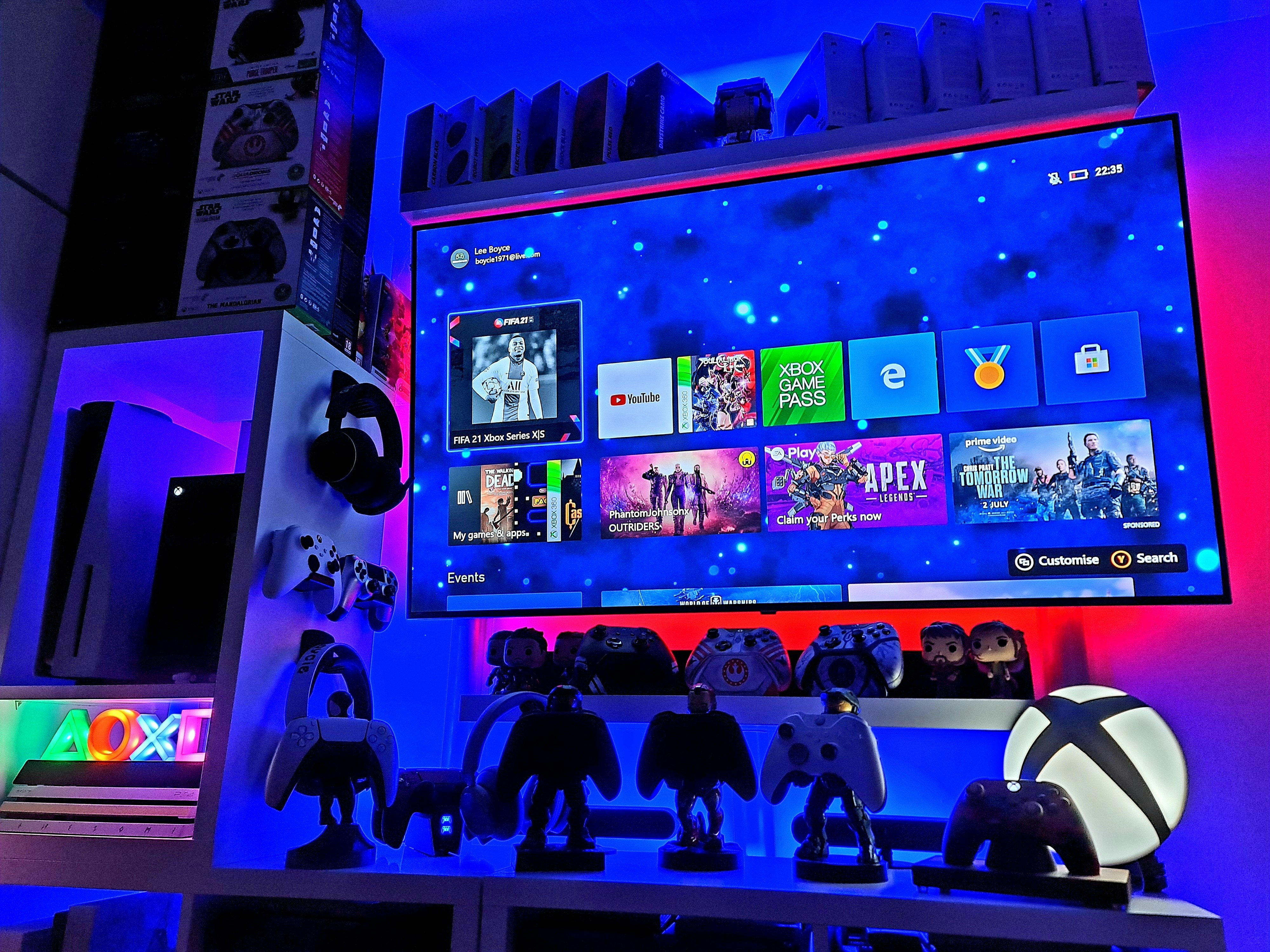
Lighting plays a crucial role in creating the atmosphere. Avoid placing screens in front of direct light sources which can cause glare and reflections. Instead, use dimmable lights or LED strips to illuminate the area around your gaming space gently. This creates a welcoming environment that is easy on the eyes. For those wanting to deepen their gaming immersion, consider soundproofing elements such as acoustic panels or sound-insulating curtains to minimize outside noise distractions.
Lastly, maintaining a tidy gaming setup will not only enhance the aesthetics but also improve your focus. Regularly clean your space, declutter unnecessary items, and ensure that your peripherals are easily accessible. Following these guidelines will help cultivate an organized and immersive gaming haven, thereby amplifying the overall gaming experience.
Troubleshooting Common Issues in Gaming Setup
Gamers often encounter a variety of challenges when setting up their TVs for an optimal gaming experience. These issues can include synchronization problems, input lag, and sound discrepancies, all of which can significantly affect gameplay. Addressing these common problems requires an understanding of both the TV settings and the gaming console configuration.
One of the most common issues is synchronization, where the audio and visual elements are out of alignment. This can cause gameplay to feel disjointed and frustrating. To address synchronization issues, ensure that the TV’s game mode setting is activated. Game mode minimizes processing time and more effectively synchronizes audio and video. Additionally, updating the software on both the TV and gaming console can resolve inherent synchronizing glitches.
Input lag is another frequent concern for gamers, particularly in fast-paced titles. Input lag occurs when there is a delay between a player’s action (like pressing a button) and the corresponding effect on screen. To minimize this lag, check the TV settings for any unnecessary post-processing features that can introduce delays, such as motion smoothing. Increasing the refresh rate of the TV, if possible, can also help decrease input lag significantly.
Sound issues, such as low volume or unclear audio, can detract from the immersive experience of gaming. Gamers should ensure that their sound settings on the TV are configured correctly. This includes adjusting the audio output settings and ensuring that the correct audio format is selected for optimal sound quality. Moreover, utilizing external audio systems, like soundbars or surround sound systems, can enhance the audio experience by providing richer sound and greater clarity.
In conclusion, troubleshooting common issues in a gaming setup requires a blend of correct settings adjustments and consistent maintenance, including keeping all devices updated. By addressing synchronization, input lag, and audio problems, gamers can ensure a smoother and more enjoyable gaming experience.